
The Events Calendar allows you to inject content above and below the calendar. This is handy if you want to display an image above it, or perhaps some additional information below.
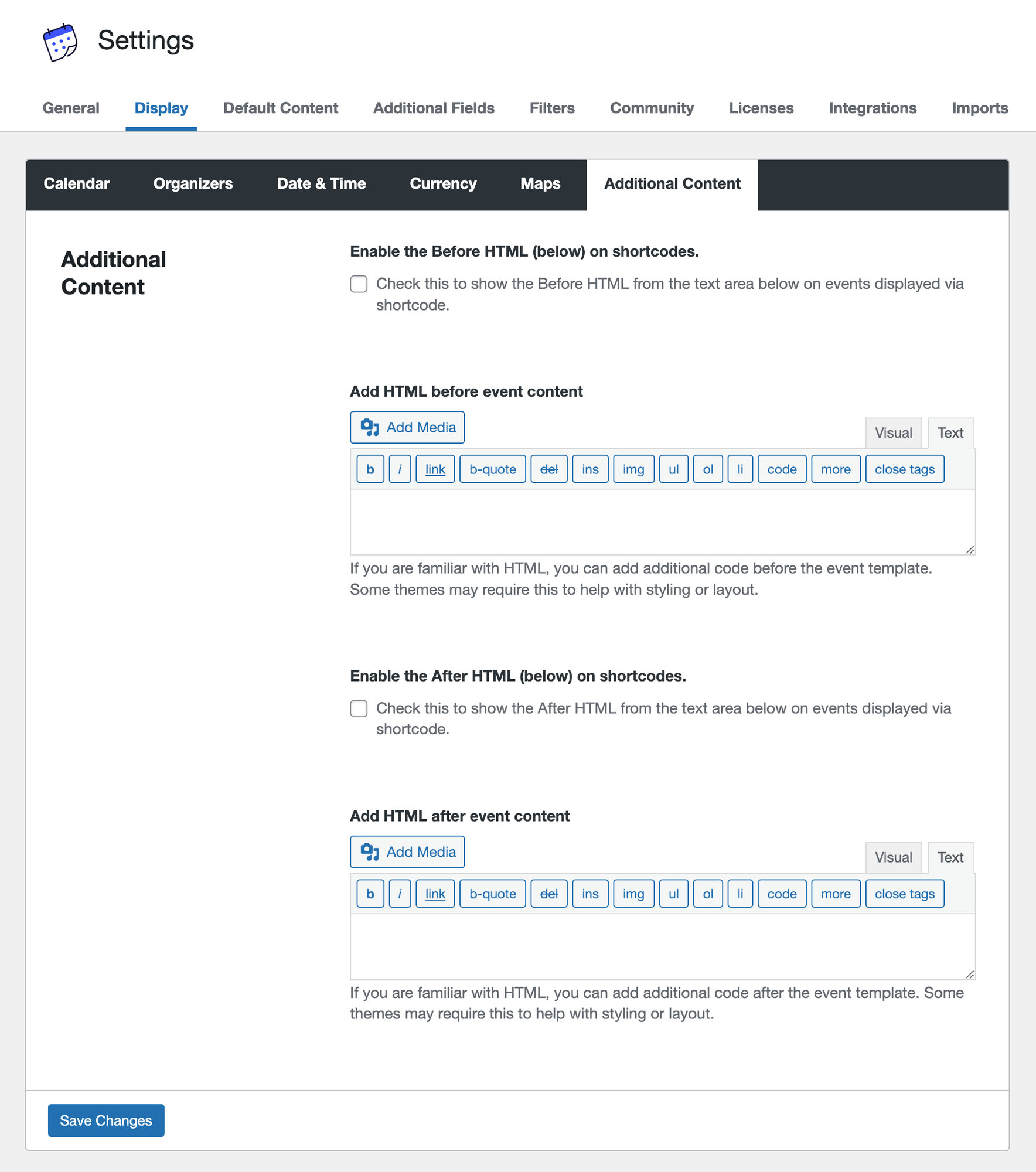
You’ll find these options under Events > Settings > Display > Additional Content.
Note that it’s possible to do this using calendar shortcodes instead of these settings. The calendar embed shortcode can be used on any WordPress page or post, allowing you to drop the calendar in the editor and write content above and below the shortcode as you would with any other page or post.
Enable the Before HTML (below) on shortcodes: This setting allows you to disable injecting content above the calendar when the calendar is embedded on a page or post with a shortcode.
Add HTML before event content: Anything entered in this field will be displayed above the calendar. HTML is supported.
Enable the After HTML (below) on shortcodes: This setting allows you to disable injecting content below the calendar when the calendar is embedded on a page or post with a shortcode.
Add HTML after event content: Anything entered in this field will be displayed below the calendar. HTML is supported.
Hiding Additional Content on Single Event Pages
By default, Additional Content will appear on all event-related pages, including the main events page, event archives, and single event pages.
However, in some cases, you may want this content to appear only on archive or listing pages, and not on individual (single) event pages.
To exclude the content from single event pages, you can use the following conditional snippet:
//HTML before event content
add_filter(
	'tribe_events_before_html',
	function( $before ) {

		if ( is_singular( Tribe__Events__Main::POSTTYPE ) ) {
			return '';
		}

		return $before;
	}
);

//HTML after event content
add_filter(
	'tribe_events_after_html',
	function( $after ) {

		if ( is_singular( Tribe__Events__Main::POSTTYPE ) ) {
			return '';
		}

		return $after;
	}
);
See this article for using custom code snippets.
Notes
- Originally written in April 2025
- Tested with The Events Calendar v6.11.2
- Author: Darian